
Feeling overwhelmed by constant notifications and device juggling? You’re not alone. Everyday tech can fray patience, but the right tweaks reduce digital stress easily over time.
Taming tech isn’t just for the always-online crowd. Digital tension seeps into work, home, and personal moments, subtly hijacking our focus and mood in different ways for different people.
This guide explains simple, realistic steps to reduce digital stress using tech solutions you can try today—no jargon, only actionable advice to help you restore calm and control.
Set Notification Boundaries for Clear Mindspace
Muting non-essential pings leads to fewer interruptions. This section shows when, how, and why to set limits to reduce digital stress across your daily routine.
If your phone vibrates just as you’re writing an email, it’s a sign: time to take control of your notifications, not let them control you.
Tune Alerts by Application and Time
People sometimes worry they’ll miss urgent updates, but by customizing alert settings per app, you keep critical messages and silence distractions that increase digital clutter.
For example, adjust social apps to deliver alerts only at lunch or after work, keeping your mind focused when you need it most throughout the day.
To begin, say aloud: “I’ll only get notified by Messenger after 4 PM,” then follow app instructions to set this rule in your device’s settings.
Create a Workspace Notification Zone
Establish one desk or area where devices can beep, buzz, or ring. Elsewhere, personal tech stays quiet—this turns space itself into a cue for focus or calm.
In practical terms, a kitchen shelf may be your check-in point. Outside that zone, leave your phone in “Do Not Disturb”; when you enter, check in purposefully.
This method reduces digital stress by physically and mentally separating notification time from uninterrupted moments, making both more intentional and less reactive.
| App/Tool | Default Notification Behavior | Best Customization to Try | Next Action |
|---|---|---|---|
| All new messages ping | Turn off sound, set batch popups | Batch check at 10 AM, 3 PM | |
| Social Media | Instant notification | Mute all, except DMs | Enable DMs, disable likes/mentions |
| News Apps | Breaking alerts 24/7 | Disable except emergencies | Review weekly on Sundays |
| Messaging | Banners and vibrate for all chats | VIPs and group silencing | Mark family chats as VIP only |
| Calendar | 15min alerts for all events | Single morning digest | Set morning alert, remove others |
Use Focus Modes to Shape Your Digital Environment
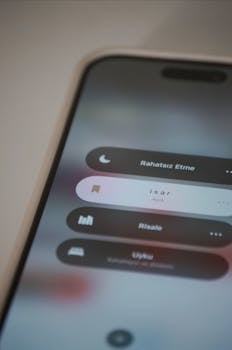
Configuring focus modes on devices blocks unnecessary attention-grabbers at set times. This shift creates breathing room, directly lowering digital stress every day.
By setting distinct modes—work, family, or rest—you prompt your devices to support your intentions, not fracture them. It subtly builds new digital habits.
Choose and Name Routine-Specific Modes
Label modes like “Deep Work,” “Family Time,” or “Evening Quiet” rather than using generic names. This personalizes and clarifies when and why you’re reducing interruptions.
If you tell yourself, “It’s Deep Work time,” you reinforce the commitment, not just with tech settings but in your self-talk as well.
- Set a mode for meetings by blocking all notifications except VIP calls—helps you focus on the call’s content without fearing missed emergencies.
- Enable a chill-out mode for evenings when only close friends and family can reach you—reducing unnecessary interruptions as you unwind after work.
- Name daily modes after actual routines—such as “Morning Prep” or “Lunch Break”—to anchor habits in your schedule and keep devices supportive, not disruptive.
- Use color backgrounds or wallpapers tied to specific modes. This visually reinforces whether you’re in work or rest mode throughout the day.
- Script your mind: “When the blue background’s on, it’s my time to read in peace”—turning visual cues into stress-reducing rituals anyone can adopt.
Using these steps, your phone or computer becomes less a distraction and more a partner in helping reduce digital stress across the entire week.
Automate Transitions Between Modes
Instead of manually switching every time, set rules based on time or location. Automation lets you forget about it and trusts devices to create a calmer routine.
- Schedule a work mode that starts on weekdays at 9 AM and ends at 5 PM—clear boundaries keep digital noise low during focused hours.
- Trigger relaxing music when in rest mode after dinner each night, so the shift to personal time feels smoother and more intentional.
- Set up location-based focus: when you arrive home, your phone automatically enters “Home Mode” and lowers work-related interruptions, helping you mentally unplug.
- Sync modes across devices so all tech quiets together—no more rogue device beeping and snapping you out of a relaxed moment.
- Pair mode switching with another cue, like plugging your laptop in, to reinforce the ritual and reduce digital stress consistently each day you repeat it.
These routines ensure less digital clutter seeps into your work or rest. Each transition becomes smoother, with your priorities honored by the technology itself.
Batch Digital Tasks to Limit Cognitive Overload
Bunching emails, messages, and app checks into fixed periods streamlines your workflow. This method helps reduce digital stress by stopping constant, scattered multitasking.
If you respond to notifications only at 10 AM, 1 PM, and 5 PM, you shrink the mental load of juggling updates and regain blocks of calm focus in between.
Apply the “One-Inbox” Method
Instead of scattered alerts and platforms, direct all communications—work, personal, urgent—into a single inbox app. This keeps important messages visible without digital hunting.
Mute other channels and review your one inbox at two or three times a day. This trains your mind and team to expect, and grant, uninterrupted focus in between sessions.
Copy this workflow: “I’ll check my main inbox at noon and four, clean it out, then ignore it until the next slot”—a concrete step to reduce digital stress quickly.
Batch Notifications for Themed Work Sessions
Group responses by type—emails, chats, or notifications for one client or project. Handle these batches at once, so each session has a clear theme and intention.
For example, spend half an hour handling all project messages while ignoring social content. This eliminates constant gear-switching, lowering decision fatigue and overall digital stress.
When the timer ends, intentionally close the tab and walk away. The physical gesture helps reinforce your brain’s sense of completion and reduces residual digital tension after each session.
Reclaim Calm With Practical Digital Habits
Resetting notification boundaries, using focus modes, and batching tasks give you real tools to reduce digital stress—making tech a quieter ally, not a noisy foe.
Learning to recognize and adjust patterns helps you gently train your devices (and your mind) toward calm. These changes build up to genuine relief that lasts all week.
Trying even one step from above means you start to reduce digital stress. Small, daily choices become a habit—and each tweak adds up to a calmer, clearer life.


