
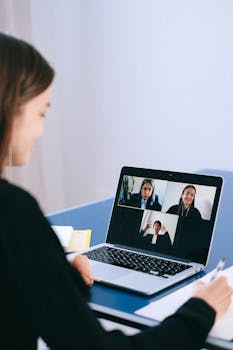
Joka työpäivä kohtaa uusia haasteita eri paikoista tuleville ihmisille, jotka ovat yhteydessä toisiinsa. Joskus jopa rutiininomaiset keskustelut voivat tuntua hankalilta ilman oikeita etätyötyökaluja asioiden sujuvoittamiseksi.
Työskentely perinteisen toimiston ulkopuolella muuttaa tapojamme, odotuksiamme ja sitä, miten ratkaisemme ongelmia yhdessä. Yhteistyöohjelmistot voivat tehdä ryhmätyöskentelystä yhtä saumatonta kuin kahvin jakaminen samassa huoneessa.
Tässä artikkelissa tutustutaan käytännön etätyötyökaluihin ja -strategioihin, jotka on suunniteltu auttamaan tiimejä tuntemaan olonsa yhteydessä toisiinsa, tuottaviksi ja aidosti tuetuiksi riippumatta siitä, mistä he kirjautuvat sisään.
Työnkulkuusi todella sopivien yhteistyöalustojen valitseminen
Etätyövälineiden valitseminen viestintään ja yhteistyöhön voi välittömästi vaikuttaa tiimisi päivittäisiin tuloksiin ja työtyytyväisyyteen. Kannattaa tehdä tämä oikein heti ensimmäisenä päivänä.
Tiiminvetäjät sanovat joskus: ”Käytämme vähemmän aikaa kokouksissa ja enemmän aikaa tulosten saavuttamiseen.” Etsi ominaisuuksia, jotka sopivat tyyliisi, jotta tämä toteutuu.
Alustan ominaisuuksien yhteensovittaminen tiimin tarpeisiin
Kuvittele suunnittelutiimi, joka luottaa visuaaliseen ideointiin. He saattavat turvautua työkaluihin, joissa on reaaliaikaisia valkotauluja tai merkintäominaisuuksia, jotka kannustavat käytännön ideoiden jakamiseen, eivätkä pelkästään chat-ikkunoihin.
Projektipäälliköille haettavissa olevat viestihistoriat ja integrointi tehtävätauluihin auttavat estämään viestiketjujen katkaisemisen ja tekevät prioriteeteista kristallinkirkkaita meneillään olevan työn tarkastelussa.
Edistymisraportteja tarkistavat keskijohdon työntekijät hyötyvät alustoista, joissa on tilannekuvanäkymät ja raportointiominaisuudet. Näin he voivat antaa kohdennettua palautetta tai huomioita odottamatta päivityksiä.
Yhteistyösovellusten integrointi kaiken synkronoimiseksi
Ajattele markkinointiryhmää, joka käyttää useita sovelluksia sisällön luonnoksiin, hyväksyntöihin ja kampanjoiden seurantaan. Näiden keskittäminen sisäänrakennettujen integraatioiden avulla tarkoittaa vähemmän aikaa, jonka kuluu ikkunasta toiseen hyppimiseen.
Tuotetta lanseeraava henkilö saattaa sanoa: ”Siirretään Slack-ketju Trelloon.” Etätyötyökalujen linkittäminen tällä tavalla estää kommunikaatio-ongelmat ennen niiden alkamista ja antaa tiimien keskittyä seuraavaan määräaikaan.
Synkronoimalla kalentereita, jaettuja levyjä ja keskusteluja ryhmät välttävät sähköpostitulvan ja pitävät silti kirjaa siitä, mitä kukin teki, milloin ja miksi päätökset tehtiin.
| Alusta | Keskeinen ominaisuus | Paras istuvuus | Seuraava vaihe |
|---|---|---|---|
| Slack | Kanavat ja integraatiot | Monialaiset tiimit | Yhdistä kanavat projektitauluihin |
| Microsoft Teams | Tiedostojen jakaminen chatissa | Dokumenttipainotteiset työnkulut | Lisää pilvitallennustilaa ketjuihin |
| Zoomaus | HD-videot ja webinaarit | Suuret kokoukset/koulutukset | Automaattinen tallennus seurantaa varten |
| Miro | Yhteistyöhön perustuva valkotaulu | Luovat/suunnittelutiimit | Jaa tauluja asynkronisen palautteen saamiseksi |
| Google Workspace | Reaaliaikainen dokumenttien muokkaus | Kirjoittaminen, taulukkolaskenta | Anna kommentteja palautetta varten |
Tiimirituaalien rakentaminen luotettavaa viestintää ja vastuullisuutta varten
Luotettava viestintä etäorganisaatioiden sisällä ei synny sattumalta. Vakiintuneet tavat auttavat kaikkia tietämään, mitä odottaa – riippumatta siitä, mitä etätyövälineitä ryhmä käyttää.
Säännöllisten rutiinien myötä ihmiset sanovat esimerkiksi: ”Tarkistan aina päivittäisen kanavan ennen kuin aloitan.” Nämä perussäännöt edistävät luottamusta etäisyyksien yli.
Toistuvien rituaalien luominen, jotka pysyvät
Aloita päivittäisillä digitaalisilla stand-up-tapaamisilla. Jokainen tiimin jäsen jakaa voitot, torjunnat ja päivän tavoitteen yhteisellä kanavalla samaan aikaan joka aamu.
Viikoittaisia yhteenvetoja varten järjestä perjantaisin lyhyitä yhteenvetoketjuja, joissa ihmiset kertovat tärkeimmistä tuloksista. Tämä pitää johdon ajan tasalla ja auttaa kaikkia pohtimaan edistymistä yhdessä.
- Julkaise perjantaina "viikon voitto" korostaaksesi tiimin saavutuksia, rakentaaksesi moraalia ja juhlistaaksesi tuloksia, joihin kaikki ovat vaikuttaneet.
- Lähetä nopea maanantaikooste prioriteettien ilmoittamiseksi, mikä vähentää hämmennystä ja yhdenmukaistaa tiimin painopisteen viikon alusta alkaen käyttämällä suositeltuja etätyötyökaluja.
- Käytä kahden minuutin videovastauksia päivityksiin, jotka tekevät vastauksista henkilökohtaisia ja suoria ilman koko kokouksen varaamista ja vahvistavat etänäoloasi.
- Kierrätä isäntiä päivittäisissä tapaamisissa kuukausittain kannustaaksesi tuoreita näkökulmia ja jaettua johtajuutta, mikä estää rutiineja muuttumasta vanhentuneiksi tai passiivisiksi.
- Aikatauluta viikoittaisia ”kysy mitä vain” -keskusteluja esimiesten kanssa läpinäkyvyyden ylläpitämiseksi. Työntekijät tuntevat itsensä arvostetuiksi ja saavat vastauksia käytännön aiheisiin, jotka vaikuttavat päivittäisiin rutiineihin.
Nimeämällä rituaaleja ja tekemällä niistä näkyviä, etätyö tuntuu vähemmän eristäytyneeltä. Ihmiset tietävät, milloin olla paikalla ja miten osallistua joka kerta.
Kirjallisen viestinnän muuttaminen toimiksi
Epämääräisten tilannepäivitysten julkaisemisen sijaan päätä jokainen viesti tai raportti selkeästi määritellyllä toimenpiteellä, määräajalla ja seurantasuunnitelmalla.
Kokeile kirjoittaa esimerkiksi tyyliin ”Tarkista luonnos torstaihin mennessä ja vastaa tässä viestiketjussa”, jotta odotukset pysyvät selvinä kaikille, jotka käyttävät samoja etätyövälineitä.
- Käytä emojeja ilmoittaaksesi tehtävän tilan nopeasti – vihreät valintamerkit tarkoittavat tehtyä, oranssit kellot keskeneräistä ja punaiset huutomerkit kiireellisyyttä. Tämä järjestelmä nopeuttaa digitaalista tarkastelua ja tilan tarkistuksia.
- Lisää suoria mainintoja vastuualueiden merkitsemiseksi. Kirjoita "@Maria, lataa raportti" välttääksesi sekaannuksia tai viivästyksiä työn siirtyessä henkilöltä toiselle.
- Linkitä toisiinsa liittyviä tiedostoja tai aiempia keskusteluja jokaisessa muistiinpanossa, mikä helpottaa myöhästyneiden tai uusien työntekijöiden yhteydenpitoa ilman ylimääräisiä kysymyksiä. Se säästää kaikkien aikaa.
- Luo malleja toistuville viesteille, kuten kokouskutsuille tai esityslistaviesteille, jotta jokaisen viikon rakenne on tuttu ja estää kaikkia arvailemasta tai unohtamasta keskeisiä kohtia.
- Aseta määräaikojen muistutuksia chat-ketjuihin varmistaaksesi, ettei kukaan missaa toimitusta. Tämä vahvistaa tapoja, joten myös eri aikavyöhykkeillä työskentelevät tiimin jäsenet pysyvät aikataulussa.
Selkeät kirjalliset työnkulut etätyövälineissä välttävät ristiriitaisia johtoja ja hukkaan heitettyjä tunteja, korvaten epäselvyydet koko tiimin strukturoiduilla jatkotoimilla.
Tiedostojen jakamisen ja asiakirjojen yhteistyön optimointi versiokaaoksen estämiseksi
Etätyötyökaluja jaettujen asiakirjojen kanssa käyttävät tiimit hyötyvät muustakin kuin mukavuudesta – ne vähentävät virheitä ja hämmennystä työskennellessään yhdessä luonnosten tai lopullisten lähetysten parissa.
Kaiken tallentaminen yhdelle alustalle tarkoittaa, että joku voi kommentoida "Tämä on uusin versio", ja kaikki muut tietävät sen olevan totta riippumatta siitä, milloin he avaavat tiedoston.
Asiakirjojen keskittäminen helppoa ja luotettavaa käyttöä varten
Aloita nimeämällä ja järjestämällä jaetut kansiot ennen kuin kutsut muita muokkaamaan tai tarkistamaan. Käytä tiedostonimissä vuotta, projektia ja tiimin roolia selkeyden vuoksi.
Pilvipohjaiseen muokkauspalveluun siirtyminen mahdollistaa reaaliaikaisen palautteen antamisen, mikä lyhentää hyväksyntöjen ja uudelleenkirjoittamisen odotusaikaa. Muutosten seuranta antaa kaikille mahdollisuuden nähdä, kuka on lisännyt mitä, mikä vähentää väärinkäsityksiä.
Määritä käyttöoikeudet roolien perusteella – tarkastelu, kommentointi tai muokkaus – jotta oikeilla ihmisillä on oikea käyttöoikeustaso ja arkaluonteiset tiedot pysyvät turvassa.
Asiakirjojen linkittäminen tehtävätauluihin näkyvyyden parantamiseksi
Liitä työdokumentit suoraan Kanban-kortteihin tai virstanpylväslistoihin. Tämä helpottaa tiimien keskeisten resurssien löytämistä suunniteltaessa ja suoritettaessa tehtäviä luotettavien etätyötyökalujen avulla.
Merkitse luonnosvaiheet näkyvästi tehtäväkortteihin, kuten ”Tarvitsee tarkistuksen” tai ”Lopullinen”, jotta kaikki pysyvät ajan tasalla siitä, mikä vaatii palautetta ja mikä on valmis lähetettäväksi asiakkaille tai esimiehille.
Kun tarkistat dokumenttia, mainitse taulun kommentissa seuraavasta muokkauksesta vastaava tiimikaverisi. Tämä nopeuttaa palautteenantoprosessia ja estää päällekkäisen työn.
Reaaliaikaisten viestintätyökalujen käyttö jaetun läsnäolon rakentamiseen
Reaaliaikaiset chat-alustat ja videopuhelut etätyötyökaluissa antavat tiimien lukea sävyä, jakaa nopeita voittoja ja ratkaista ongelmia yhdessä sen sijaan, että odotettaisiin sähköpostivastauksia.
Tämä jaettu digitaalinen läsnäolo jäljittelee yhdessä istumisen energiaa – vaikka jokainen ihminen olisi kaukana toisistaan – tehden päivittäisistä tehtävistä vähemmän eristäytyneen tuntuisia.
Pikaviestien ja puheluominaisuuksien hyödyntäminen parhaalla mahdollisella tavalla
Kannusta lyhyitä, kohdennettuja chat-purskeita ideoiden tarkistamiseksi tai ongelmien merkitsemiseksi pitkien sähköpostikeskustelujen sijaan. Vastaa nopeasti peukkumalla ylös tai emojeilla osoittaaksesi tukea tai samaa mieltä.
Järjestä päivittäin 30 minuutin ajan videon välityksellä "avoimet toimistotunnit" – kuka tahansa voi piipahtaa kysymysten kanssa. Tämä pitää viestinnän epämuodollisena ja poistaa suurempien aikataulutettujen kokousten paineen.
Luo hauskoja ryhmäkeskusteluja tiimin yhteenkuuluvuuden lisäämiseksi: jaa musiikkia, valokuvia tai vitsejä. Se rakentaa ystävyyssuhteita, jotka puolestaan johtavat sujuvampaan projektien toimitukseen, hyödyntäen etätyötyökalujen rentoa puolta kulttuurin vaalimiseen.
Ammattimaisena pysyminen avoimesti keskusteltaessa
Näytä hyviä tapoja tervehtimällä kollegoita, luomalla positiivinen sävy ja kiittämällä yhteistyökumppaneita julkisissa kanavissa. Tämä nostaa mielialaa ja osoittaa kunnioitusta digitaalisesti.
Julkaise selkeitä tilanneviestejä, jotta muut tietävät, oletko "koodaamassa salaa" vai "käytettävissä palautetta varten". Tämä selkeys estää keskeytyksiä ja yhdenmukaistaa odotuksia kiireisinä aikoina tai hiljaisempina aikoina.
Arkaluontoisissa keskusteluissa voit vaihtaa yksityisiin ryhmäviesteihin tai lyhyisiin videopuheluihin ratkaistaksesi ongelmat nopeasti säilyttäen samalla luottamuksen ja läpinäkyvyyden.
Tietoturvan ja yksityisyyden suojaaminen hidastamatta työtä
Jokainen etätyövälineitä käyttävä tiimi tarvitsee muutamia konkreettisia toimenpiteitä luottamuksellisten tietojen suojaamiseksi – vaikeuttamatta päivittäistä yhteistyötä.
Jopa pienet muutokset voivat suojata tiedostoja ja keskusteluja luvattomalta käytöltä ja keskeytyneeltä käytöltä.
Turvallisten työtapojen mahdollistaminen etäasetuksissa
Ota monivaiheinen todennus käyttöön jokaisessa etätyötyökalussa ennen tiedostojen jakamista tai tiimin jäsenten kutsumista. Vaadi vahvoja salasanoja ja vaihda niitä neljännesvuosittain tietomurron riskin vähentämiseksi.
Käytä salattuja viestejä arkaluonteisten tietojen tai asiakastietojen käsittelyyn. Muistuta tiimiäsi olemaan tallentamatta salasanoja keskusteluhistoriaan ja tarkista suojausasetukset kuukausittain havaitaksesi uudet haavoittuvuudet nopeasti.
Tarkista säännöllisesti alustakohtaiset yksityisyysasetukset, kuten kuka voi luoda uusia kanavia tai kutsua ulkoisia vieraita. Varmista, että vain luotettavilla käyttäjillä on järjestelmänvalvojan oikeudet tärkeisiin päätöksiin tai tiedostojen hallintaan.
Tiimin hyvinvoinnin tukeminen ja digitaalisen ylikuormituksen vähentäminen
Tehokkaat etätyövälineet eivät ainoastaan lisää tuottavuutta, vaan ne myös suojaavat stressiltä ja digitaaliselta väsymykseltä kannustamalla terveisiin rajoihin ja tietoiseen teknologian käyttöön.
Eräs esimies kehottaa uusia työntekijöitä: ”Poista chat-sovellukset puhelimestasi työajan päätyttyä.” Analogiat, kuten ”toimiston sulkemisaikojen asettaminen”, tekevät näistä rajoista helposti hahmotettavia ja valvottavia.
Digitaalisten työkalujen terveellisen käytön kannustaminen
Varaa hiljaiset tunnit, jolloin ilmoitukset ovat pois päältä, jotta ihmiset voivat keskittyä keskeytyksettä. Tiimit voivat sopia etukäteen ajankohdista syvälliselle työskentelylle ja palautuksille.
Muistuta itseäsi nousemaan ylös, venyttelemään ja menemään ulos keskipäivällä. Yksinkertainen "kävelytauko"-emoji ryhmäkeskusteluissa viestii, että on okei levätä ilman syyllisyyttä tai huolta tavoittamattomuudesta.
Tarjoa valinnaisia ”kamera pois” -perjantaita videokokouksissa kaikille, jotka tarvitsevat uudelleenjärjestämistä tai vähentämistä ruutuajan kanssa, tukien terveellisempiä tapoja joustavien etätyötyökalujen avulla.
Siirtyminen työkaluista tuloksiin, joilla on pysyvä vaikutus
Oikeiden etätyövälineiden käyttäminen tavoitteidesi saavuttamiseksi muuttaa hajallaan olevat tiimit keskittyneiksi kumppaneiksi. Jokainen edellä mainittu alusta, rituaali ja tapa lisää todellista, havaittavaa arvoa ryhmän tehokkuuteen.
Esitellyt strategiat varmistavat, että jokainen viesti, puhelu tai jaettu tiedosto etenee ja samalla yksityisyys, selkeys ja hyvinvointi säilyvät ajan tasalla. Näin etätiimit menestyvät.
Kun seuraavan kerran tiimisi tuntee olevansa jumissa tai eksyksissä, mukauta nämä ideat vastaamaan tiimisi ja projektiesi tarpeita – ja katso sitten, kuinka digitaaliset yhteydet johtavat todellisiin tuloksiin, joita voit mitata ja juhlia.


