
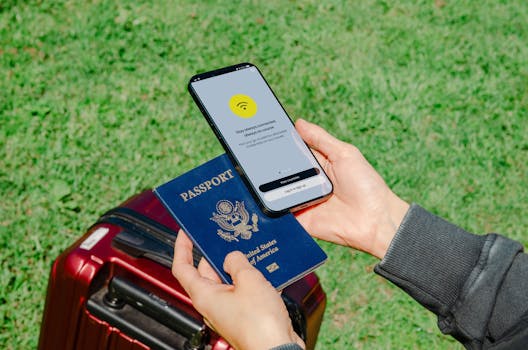
Touching down in a new country can be thrilling, but managing to stay connected travel-wise is rarely as seamless as it should be.
Being able to message family, access guides, and book tickets online makes international travel less stressful. Staying connected solves real problems, not just for work but for daily convenience.
If you want to avoid dropped calls, zero data, or language barriers, read on for hands-on strategies and practical advice to stay connected travel style.
Selecting the Right SIM Card for Seamless Access Abroad
Choosing an international SIM ensures smoother stay connected travel moments right from the airport. You can continue navigating, booking rides, and messaging with zero friction.
SIM cards come in all shapes, from prepaid tourist SIMs bought at the arrivals terminal to eSIMs activated via a mobile app while waiting for your baggage.
Why Picking a Local SIM Makes a Difference
Buying a local SIM handles unexpected hiccups, like if someone says, “Where are you?” and you can reply instantly instead of hunting for WiFi.
Instead of struggling with costly roaming, you tap into local rates and blends—it’s a bit like switching to a country’s currency for savings.
Data speeds on local SIMs typically outperform global cards, especially for video calls or mapping apps, making stay connected travel feel native and seamless.
Setting Up Your SIM Card on Arrival
Unpack your phone and insert the SIM as soon as you land. Airport kiosks will assist if you need help resizing or activating your SIM.
Store your original SIM securely. Label the tiny tray; travelers often say, “I lost my real SIM!” and scramble for backups. Preparation pays off.
Register any required ID details, a common step in some countries. This unlocks full data capabilities, so you’re not stuck with basic 2G connections.
| Type | Cost | Activation Time | Recommended If… |
|---|---|---|---|
| Local SIM | Low | Instant | Staying in one country 5+ days—best rates, best coverage for stay connected travel. |
| eSIM | Medium | 15 minutes | Switching countries quickly, easy to set up before flying, digital-savvy travelers. |
| International SIM | High | Up to an hour | Visiting several countries, value flexibility over price, phone only supports physical SIMs. |
| Roaming | Very high | No setup | Emergencies only. Expect big fees and low speeds—avoid where possible for stay connected travel. |
| WiFi Only | None | Not applicable | If traveling ultra-light or avoiding phone use, usable where WiFi is consistent—use with caution. |
Building WiFi Solutions That Actually Work on the Road
Knowing you always have secure WiFi changes stay connected travel from frustrating to reliable, especially when you need to upload tickets or check maps in real time.
Most airports, hotels, and cafés have WiFi, but the quality and security can fluctuate. Establishing a routine—like always checking network names with staff—prevents accidental logins to fake hotspots.
Setting Up Portable Hotspots
A portable WiFi hotspot transforms public transport into a productivity zone—just turn it on and connect up to five devices for uninterrupted stay connected travel.
Purchase or rent your hotspot ahead of time for best rates. Test the connection before leaving your accommodation; fix issues while you’re still near helpful staff.
- Turn on the device in airplane mode, then enable WiFi. This keeps calls off but data flowing—ideal for text-heavy tasks while in transit.
- Charge the hotspot overnight. Most batteries last around 8 hours. If you’re exploring for the whole day, pack a power bank.
- Change the password after the first use. Using the default makes you susceptible to unwanted guests piggybacking off your data.
- Ask hotel staff for the strongest local SIM for hotspots. Their regional knowledge improves device coverage and speed.
- Pair only the devices you need. Fewer gadgets mean longer battery and lower data pulls—smart stay connected travel in practice.
Set reminders to reconnect after long flights; some devices time out or disconnect between destinations, so double-check before you head out for the day.
Finding Safe Public Networks in Unfamiliar Places
Look for official signage—hotels, established coffee shop chains, train stations—which usually means a verified network and helps your stay connected travel remain secure.
Avoid entering passwords or banking details over public WiFi. If needed, enable your phone’s VPN for a more private browsing experience.
- Use network verification apps to compare WiFi signals. They’ll alert you to rogue networks with similar names to official ones.
- Connect to the network with the strongest signal; it’s typically closer and less congested, offering better speed and reliability.
- Switch off automatic WiFi connection on your phone. This prevents unintentional connections to weak or insecure networks.
- If you’re unsure, ask a local for advice, using simple phrases like, “Is this safe WiFi?”—locals usually respond with practical tips on the spot.
- After using public WiFi, log out of sensitive accounts and erase browsing history—reducing risk for your next session.
Being selective with WiFi keeps your personal data private and makes sure stay connected travel never turns into a cyber security headache.
Staying Reachable Without Breaking the Bank on Roaming
Saving money while staying reachable means you can answer, “Send me your location now,” without dreading your next wireless bill. Every action has a direct cost or benefit.
There’s a difference between using permitted apps for free messaging and traditional phone calls, which rack up high fees fast—stick to in-app communications for affordable stay connected travel.
Making the Most of Messaging and Calling Apps
Classic strategies mean using WiFi-connected apps exclusively for keeping in touch. Texts, calls, and video all stay free as long as you avoid cellular data roaming.
Switch device settings to “WiFi only” for communication apps. This prevents surprise background data charges if WiFi drops during calls.
International travelers may set a group chat before leaving the country—type, “Let’s share updates here only!”—keeping everyone updated and minimizing extra costs.
Scheduling Contacts Across Time Zones
Use calendar reminders to message contacts at respectful hours—avoid waking someone up by double-checking time zones before calling in your stay connected travel routine.
Write, “I’ll text at 9 p.m. local time,” in your planner. Setting intention helps bridge long distances despite wildly different clocks.
Syncing schedules with your home base becomes second nature after a few tries. You’ll quickly know when to reach out for optimal connection.
Choosing VPNs and Security Essentials for Travelers
Protecting digital privacy while you’re abroad is key. Secure your devices so you can focus on stay connected travel, even on less secure public or hotel networks.
Install a VPN service before departure; this option shields your data from prying eyes, especially in countries with tight internet restrictions.
Activating Two-Factor Authentication for Peace of Mind
Set up two-factor authentication on banking and email accounts. This simple step blocks hackers even if they acquire your passwords during stay connected travel.
Keep backup codes in a travel wallet or note app for quick access, especially if SMS authentication is unavailable while overseas.
Don’t wait until arrival—test every login process from home first so you know what to expect mid-trip.
Managing Data Usage to Avoid Surprises
Tracking every megabyte helps keep stay connected travel affordable. Start by reviewing which apps use the most data in your phone’s settings before you go abroad.
Turn off background data for non-essential apps. Social media, cloud storage, and video streaming quickly eat up allowances, so restrict their access to WiFi only—adjust these settings in minutes.
- Download maps and translation apps offline to save mobile data—once saved, navigation and communication keep working even if your connection drops.
- Stream music or videos using offline playlists. Plan downloads before traveling, so boredom doesn’t lead to costly streaming sessions.
- Use low-data modes when available in messaging and browser apps. These modes compress images and limit background processes, extending your data pack’s life.
- Set data usage alerts—phones notify you as you approach preset limits, helping prevent accidental overcharges on longer stays.
- Delete unused apps right before you travel to minimize background updates and keep device performance sharp during your stay connected travel adventure.
Syncing Across Multiple Devices While Abroad
Effortlessly jumping from phone to laptop to tablet for work or personal tasks is possible with smart cloud syncs set up beforehand—an essential for consistent stay connected travel.
Sync note apps and document storage before leaving. “I made sure my work files were uploaded—now I can access them anywhere,” is a frequent traveler’s peace-of-mind statement.
Managing Device Settings Remotely
Enable device finders and remote lock options. If your phone or tablet is lost mid-trip, use these built-in tools to secure or wipe data from afar.
Check that locate features work in your destination country—run a test a week before departure to address any compatibility gaps.
Create simple passcodes that are tough to guess but easy for you to recall, especially with jet lag. Don’t reuse PINs linked to your home address or birth year.
Coordinating Shared Devices in Group Trips
If sharing tablets among family or friends, set up separate guest profiles before traveling. This is more reliable than handing out passwords on the fly.
Appoint a “device manager” for each group—one person ensures devices are charged, synced, and in the right hands at all times. Teams stay organized and connected.
After each destination, back up important files to cloud servers or portable drives so everyone keeps their work and memories safe in their stay connected travel journey.
Conclusion: Bringing It All Together for Reliable International Connection
Selecting local SIMs, portable WiFi, and syncing devices transforms your stay connected travel game into an organized, low-stress system that works trip after trip.
Moving through airports and cities confidently depends on streamlined communication, personal digital safety, and data management—the cornerstones of hassle-free global adventures and daily routines alike.
Use these checklists, habits, and tech insights to guarantee your next trip is as connected as you want, when you want—thanks to smart stay connected travel planning.


